Technology Foundations
Tech Foundations Syllabus
Technology Foundations reaches many aspects of West Ranch High School’s mission statement. Challenging projects and the real world atmosphere provided students with a good look at what it takes to produce professional digital work. Technology Foundations is an elective course that offers the students handson experiences with Adobe Creative Suite, Microsoft Office, Google Docs, and other software to create various digital media. Equipment being used will be computers, iPad, digital camera, cell phones, and computer software. This course will emphasize how computer applications plays a part in the business world. Emphasis will be placed on real world experiences.
Course Credit
Tech Foundations qualifies for Practical Art Credit.
Course Outline- This semester the students will learn:
Publishing Applications
- Microsoft Office
- Google Docs
Graphic Development Using
- Photoshop
- Fireworks
- Online Graphic Editors
Other Applications
- Dreamweaver
- Prezi
- Online Web Sources
-Assignments and Projects-
Day 1- Mr. Burrill Extra Credit Quiz
Day 2- Syllabus, Classroom Rules, Course Description, Get Logged-In, and Explore Google Ecosystem. Share a folder with Casey Burrill.
Assignment 1- High School 10 Points- Make a 1-2 page Google Document telling me about your high school experience so far. Content is open to what you want to share. Feel free to let me know about your likes and/or disslikes. Or maybe what you would like to see happen moving forward. When done, save it in your Google Docs folder I have shared with you.
Include the following formatting and elements in this 1-2 page document-
- Title it "High School"
- Insert an Image, Link, Table, and Shape.
- Demonstrate that you can change font- color, size, bold, italic, and underline.
Assignment 2- Google Sheets assignment "Budget" 10 Points. Make a Google Sheets budget for a semester at college. Think about your expenses and your income. Be as specific as possible. Here is my example budget from 1990 at USC- Burrill Budget - Simple Formula Help Page
Assignment 3- Google Slides assignment "Music" 10 Points. Make a 8+ page presentation about something related to music. In your Google Slides presentation include- text font changes, images, Wordart, links, transitions, and shapes. Anything else that would impress me! View Coach Burrill's Metallica Presentation
Assignment 4- Google Form "Movie" 10 Points. Make a Google Form about movies. Place the link to the form on a Google Doc titled "Movie". 5 other people in this class have to fill-out your form. Give Coach Burrill some answers using his form here - Google Forms Help Page
Assignment 5- Photoshop "Burrill" 10 Points- Make a 2 jpeg pictures that has Coach Burrill's head on someone else's body. Place the two original body pictures and the two new onse with Coach Burrill's head on it in a Google Document titled "Burrill". Coach Burrill Picture
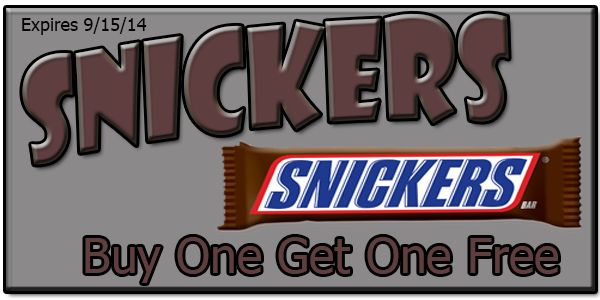
Assignment 6- Photoshop "Coupon" 10 Points- Make a jpeg picture that is an original coupon you have created in Photoshop. Make sure it is 600 pixels by 300 pixels. Place the coupon in a Google Document titled "Coupon". Coach Burrill's Coupon
Assignment 7 - Photoshop "Logo" 10 Points- Make a jpeg picture that is an original logo using your first letter of your last name. Make sure it is 300 pixels by 300 pixels. Place the logo in a Google Document titled "Logo". Coach Burrill's Logo - Pro Examples
Assignment 8- Photoshop "Restaurant" 10 Points- Make a jpeg picture that is an original flyer for a new restaurant you have created. Make sure it is 800 pixels by 900 pixels. Place the flyer in a Google Document titled "Retaurant". Coach Burrill's Flyer
Assignment 9- Minus 5 (10 Points) Create a Google Doc holding 5 .jpg images with a "Minus 5 " theme. Modify the images using Photoshop. All images must be .jpg format. You must save the Google Doc in the folder we share.. Coach Burrills Example Page
Assignment 10- "Birthday" (10 Points) Create a Microsoft Publisher birthday card for Coach Burrill. Pretend coach turns 17 today and you need a card to give to him or an announcement for his party. Upload your birthday.pub file to your Google Drive. Burrill Birthday Card
Assignment 11- "Award Certificate" (10 Points) Create a Microsoft Publisher award certificate for Coach Burrill. Pretend coach is really cool and deserves an award! Upload your certificate.pub file to your Google Drive.Burrill Certificate
Assignment 12- "Shortcuts" (10 Points) Memorize the following 10 keyboard shortcuts. Quiz with 5 minutes left in last class of first 5 weeks! You can try the shortcuts in any program, look online for what they do, or ask other students in class.
- Ctrl + Z
- Ctrl + C
- Ctrl + V
- Ctrl + S
- Ctrl + P
- Ctrl + O
- Ctrl + B
- Ctrl + I
- Ctrl + U
- Alt + Tab
End of 5 Weeks
Create 2 Folders in the Google Drive Folder We share. "Week 1-5" and "Week 6-10"
Assignment 13- "Brochure" (10 Points) Create a Microsoft Publisher brochure for visiting Disneyland California. Upload your brocure.pub file to your Google Drive. Burrill Brochure
Assignment 14- "Security" (20 Points) Make a 10 slide PowerPoint presentation about a Home Security system that you are selling to Coach Burrill. You will present to the class on Tuesday morning. You may work in groups of 1-3 people. You must make up your own company and design a logo. Make sure your home security PPT presentation desrcibes features, benefits, and pricing. Feel free to use ideas from existing companies. Upload PPT presentation to Google Drive and make sure all group member names are on first slide. Example Security Companies
Assignment 15- "Buisness Cards" (10 Points) Make a set of Businesss Cards using Microsoft Word. Upload to your shared Google Drive. Example
Assignment 16- "Homework Calendar" (10 Points) Make a weekly homework calendar using Microsoft Word. Upload to your shared Google Drive. Example
Assignment 17 "Halloween Party Cards" (10 Points) Make some Halloween invite cards for a party you are hosting on October 31. Upload to your shared Google Drive. Example
Assignment 18- "Sales Invoice" (10 Points) Use Microsoft Excel to make a sales receipt/invoice for a company you have created. Place your logo on the sales receipt and update all the information to show you have sold a product or service to Coach Burrill. Upload to your shared Google Drive. Example
Assignment 19- "Receipt" (20 Points) On your own or in pairs, create a sales receipt for a new surf shop you have created. You MAY NOT use a template. Make sure the receipt has an original logo that you have created. Receipt shoud include calculations for total items purchased, tax, and shipping. Upload to your shared Google Drive.
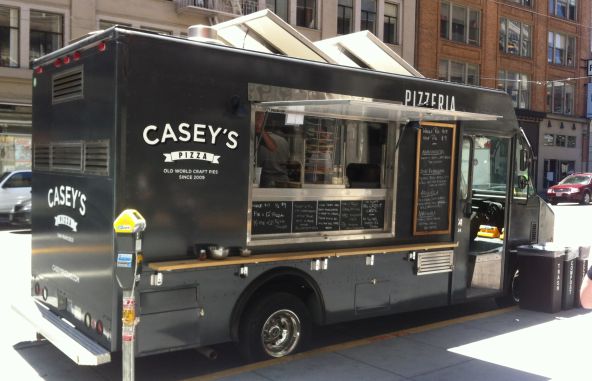
Assignment 20- "Truck" (50 Points)- May work in a group of 1-3 people. Create an original food truck. Make an original picture of your truck including a logo. Create a 6 slide presentation that describes your food truck business. Make a menu for your food truck using any program. Make a folder in your Google Drive named "Truck"
Assignment 21- "Paper Airplane" (10 Points) Create a paper airplane. Find instructions online and make a paper airplane that you will fly in the classroom at the end of the period. Create a Certificate of Authenticity (COA) in Publisher for your airplane. Save the certificate as a .pub file in your Google Folder and name it "Airplane". COA Examples
Assignment 22- Make a Google Calendar (10 Points)- Make a Google Calendar with at least 20 entries for the month of March 2015. Make the calendar visiable online and copy the web address. Make a Goodle Doc named "Gcal" and place in our shared folder. The doc should have a link to your Google Calendar.
WR Baseball Google Calendar
End of 10 Weeks
Create a Folders in the Google Drive Folder We share. "Week 11-15"
Assignment 23- "Group Assignment" (60 Points) In a group of 1-3 students, create a new Los Angeles football team (Not the Rams) that will join the NFL. You will need to create the following items.
- Google Slides, PowerPoint, or Prezi presentation describing your new team- 8-10 Slides
- Create a team logo in Photoshop and include in your presentation.
- Using Google Docs- Describe the job titles of the members of your group.
- Make a flyer for your first home game in Los Angeles using Microsoft Publisher
- Make a budget for your team using Google Sheets
- Create a form for your fans to select what kind of promotions they would like to see at a game this season
Place all of these items in a folder called "Quarter 1" and pace into a folder that you share with Coach Burrill. Makes sure everyone from your group has names on each assignment.
Assignment 24- "Inventory" (10 Points) Use Microsoft Excel to make a inventory list of things that you have now or things that you would like to have later in life. Place a picture on your spread sheet related to your inventory list. Upload to your shared Google Drive. Example (I did Coach Burrill's Video Games)
Assignment 25- "GPA" (10 Points) Use Microsoft Excel to calculate your current and past GPA's. Upload to your shared Google Drive. Example
Assignment 26- Add to Your Google Calendar (10 Points)- Added 40 more items to your Google Calendar that you Share with Casey Burrill.
WR Baseball Google Calendar
Assignment 27 "index.htm" (10 Points) - Create a "index.htm" web page using Dreamweaver and put it on the internet. Page must have text, images, links (text and image), and background change.
Assignment 28 "truck.htm" (10 Points) - Create a "truck.htm" webpage about your food truck from last week using Dreamweaver and put it on the internet. Page must have text, images, links (text and image), table, and background change. Link to your food.htm page from your index.htm page.
View Coach Burrill Example Web Page
Assignment 29- "car.htm" (10 Points) - Make a web page using Dreamweaver and put it on the internet. Page should be about your fav car, motorcycle, or RV. Page must have text, images, links (text and image), background change, and table. You will also need to have different color and sized text on your page. Link to this web page from your orignal index.htm page.
Assignment 30- "music.htm" (10 Points) - Make a web page using Dreamweaver and put it on the internet. Page should be about your fav music group, artist, genre, or instrument. Page must have text, images, links (text and image), background change, and table. You will also need to have different color and sized text on your page. Link to this web page from your orignal index.htm page.
Assignment 31- "banners.htm" (10 Points)- Make a web page holding 4 banners 1000 x 200 pixels. All banners must be .jpg format. Make the following 4 banners-
- Coach Burrill's Lego Shop
- Mr. Burrill's Auto Repair Shop
- Casey's Dog Grooming
- Dr. Burrill's Medical Office
View my example page (I only have 2 of the 4 banners made, you need all 4!)
End of 15 Week Grading Period
Final Project
Final Project (160 Points)- Make a new folder in the Google Drive we share and name it "Final". Create a new Coffee Shop that you will be placing next to the entrance of Six Flags Magic Mountain. You must create the following items to support your new Coffee Shop-
- Flyer announcing the "Grand Opening" of your shop
- A single web page named "final.htm" with information about your new Coffee Shop
- Sales receipt that shows 10 items, calculates price including tax.
- A document that lists your menu itmes including price and calories (at least 10 items)
- Design a logo for your Coffee Shop and save as a .jpg image
- 3 page presentation that talks about safety on the job for your employees
- Create a coupon for your coffee shop and save in your google drive
- Make a Google Calendar showing the hours of your coffee shop

Assignment TBA- "LinkedIn" (50 Points)- TBA |